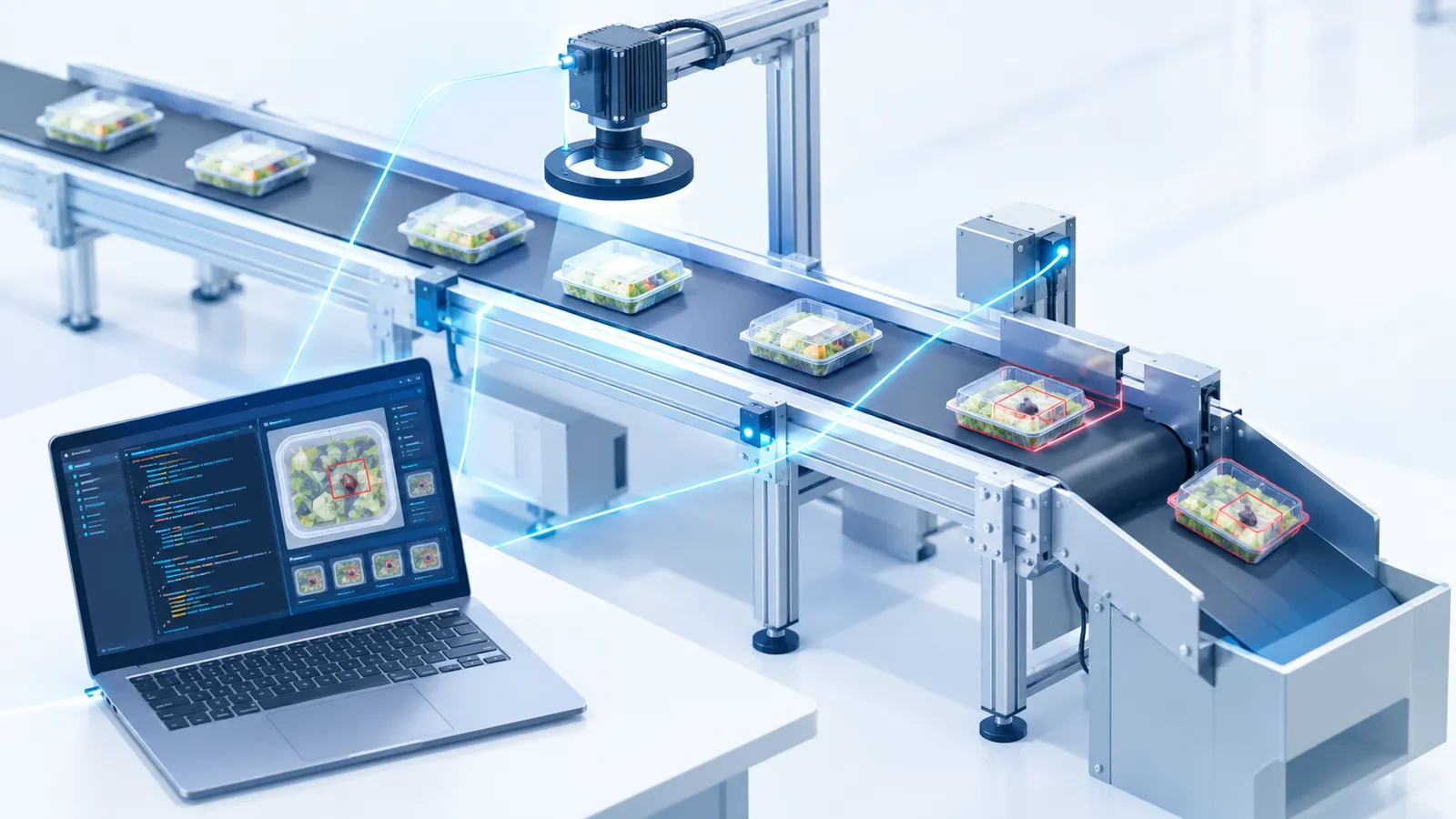
What photometric stereo is — and how colour photometric stereo differs from the usual method
What turns out to be awkward in visual inspection is the situation where a difference of colour and a difference of shape look the same in the image.
A shallow dent in a black plastic part. A fine scratch running across printed text. A depression in a hairline metal finish. Light any of those normally and take one frame, and they appear simply as a dark area or a light one. Patterns and colour unevenness appear as light and dark too, so neither image processing nor AI can separate “is this a scratch or is it the pattern?”
Arrange the lighting to cast a shadow and the relief shows — but now what you see depends on the direction of the shadow. Light from one side only and a scratch perpendicular to the light stands out while one parallel to it disappears. Hunting for scratches of unknown orientation with light from one direction is impossible in principle.
Change the lighting direction, one at a time, and take several frames
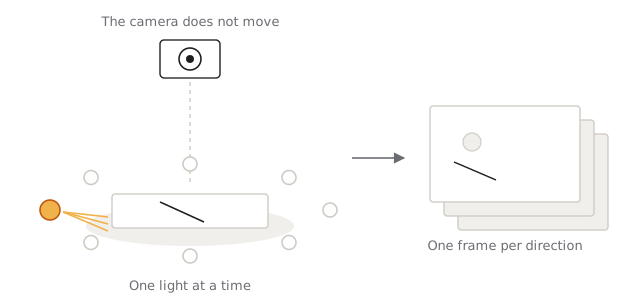
Photometric stereo solves this by taking several frames with the light coming from a different direction each time.
The camera stays fixed; lights arranged around the subject are switched on one direction at a time, and a frame is captured for each. You get as many images as you have lights. Inspection Designer defaults to eight directions.
How the brightness changes tells you the tilt
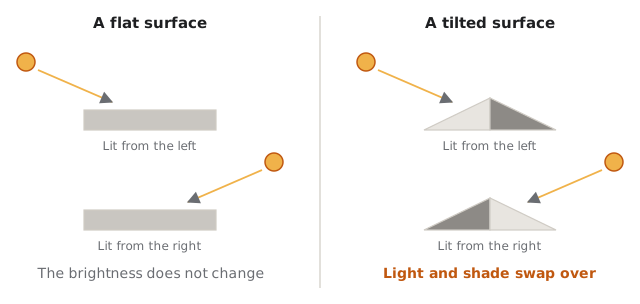
Picture an eraser sitting on a desk. Light it from the right and the right face is bright, the left in shadow. Light it from the left and it is the other way round. Same place, different brightness, depending on where the light comes from. That is because the surface is tilted.
What about a flat sheet of paper? Light it from either side and the brightness hardly changes. It is not tilted.
Which is to say: the way the brightness changes as the lighting direction changes is itself a statement of whether that place is flat, and if not, which way and how far it tilts. Compare eight frames from eight directions pixel by pixel and you have the tilt at every pixel in the image. Where the tilt changes abruptly, there is a scratch, a dent, a step.
In image processing this tilt is called the surface normal, and that is the term used below.
The surface normal is not affected by colour or pattern
This is the important part. On white paper printed with black text, the tilt of the paper is the same inside the letters as outside them. The print sits on top of the paper; it does not tilt it.
Look at the absolute brightness and the letters are black. Look at how the brightness changes as the lighting direction changes and there is no difference between inside a letter and outside it. A crease in the paper, on the other hand, does tilt the surface, and the way the brightness changes differs there.
Pattern does not appear in the change; relief does. That is what photometric stereo is.
Shape and colour are not removed — they are separated
A common misunderstanding: photometric stereo is not a technique for removing a pattern. It is a technique for extracting pattern and relief as separate pieces of information, so that you can choose which to look at.
Two kinds of information come out of the eight images.
- Surface normal — which way and how far it tilts. Information about shape
- Surface reflectance — the brightness of the surface itself, once the shading from the tilt is taken away. Information about colour and pattern
It may help to think of it as the part of the brightness that changes with the lighting direction, and the part that does not. Printed ink does not tilt the surface, so it does not appear in the first; its being darker than its surroundings remains in the second.
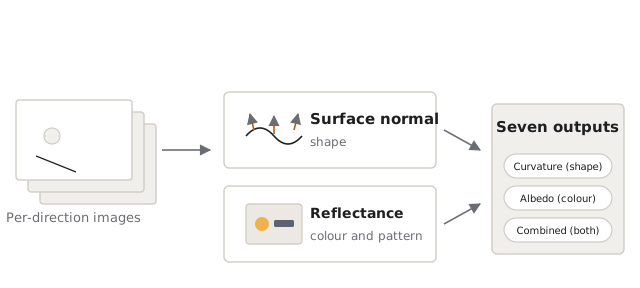
The seven outputs described below are different ways of combining those two into one image. Shape alone: curvature. Colour alone: albedo. Both: the average image, or curvature combined with the average image.
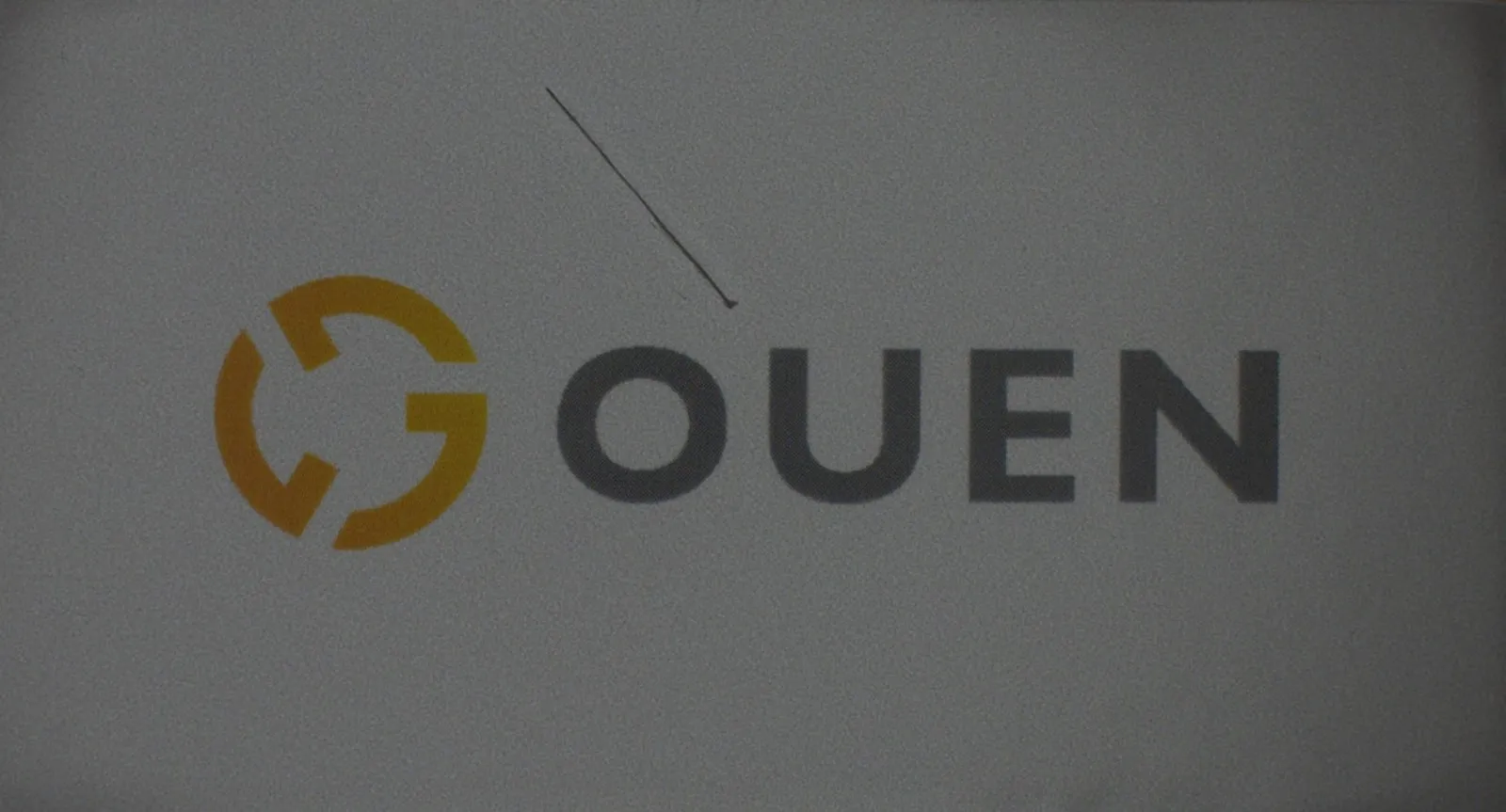
The logos and text visible in the comparison images in this article are there because an output that keeps the colour and pattern was chosen (curvature with the average image in the first set, glare suppression in the second). Choose curvature, which extracts shape alone, and the logo and the text disappear, leaving only the scratch.
The usual method loses the colour
Ordinary photometric stereo has a constraint, though: the combined image comes out in black and white.
The reason is in how the second of those two, surface reflectance, is held. When the brightness under each light is compared, a pixel is treated as one value: brightness. A pixel that held three values — red, green, blue — is folded into one. The pattern survives; what colour it was is lost right there.
Look at the comparison below. The output is curvature combined with the average image: the normal-looking picture with the curvature of the surface laid over it. The two kinds of information, literally overlaid into one. Left is the original, centre the usual method, right colour photometric stereo.

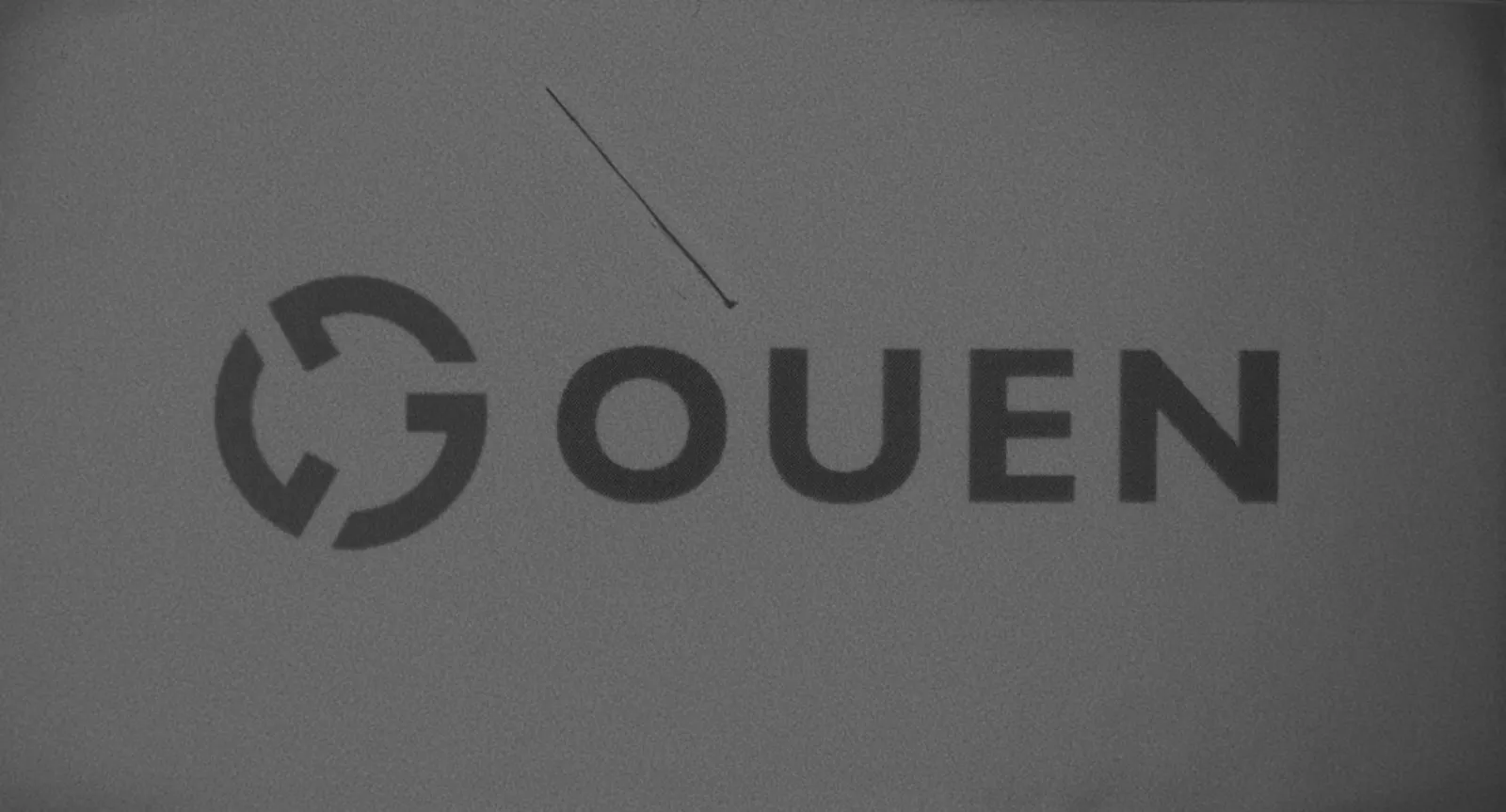
The scratch is clear because of the curvature layer; the logo and text are visible because of the average-image layer. Shape and colour taken out separately, then laid over each other — you can see it in one picture.
The job is done. But in the centre image, the logo that should be orange is grey. The pattern survives and only the colour has dropped out. Use that image and no inspection that depends on colour is possible. Discolouration, a part of the wrong colour mixed in, the wrong printing ink: defects where the shape is the same and only the colour differs drop out of scope at this point.
On a glossy surface it shows more plainly still. The next comparison changes the output to glare suppression. That output suppresses blown-out highlights, so no curvature is overlaid.
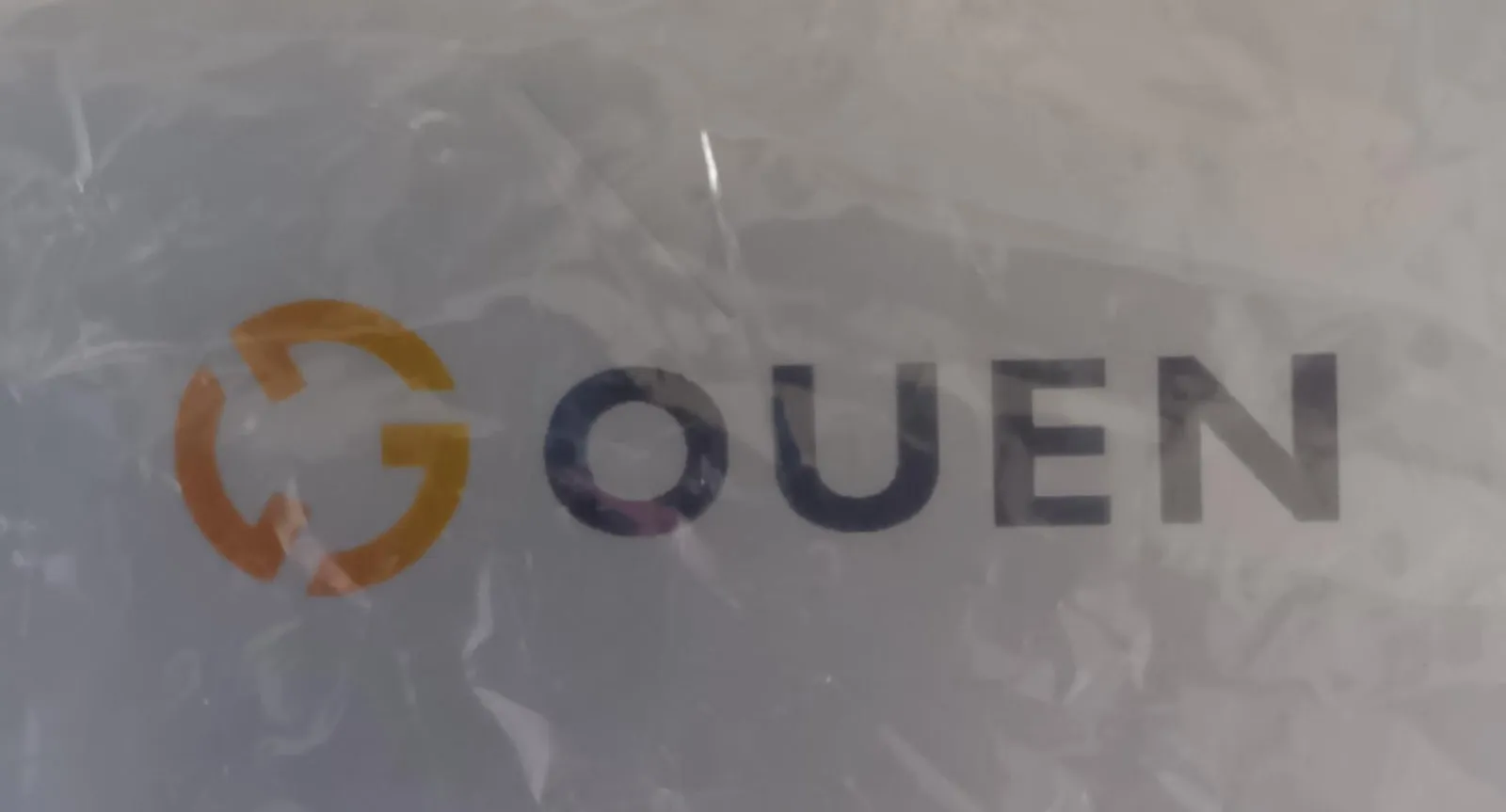
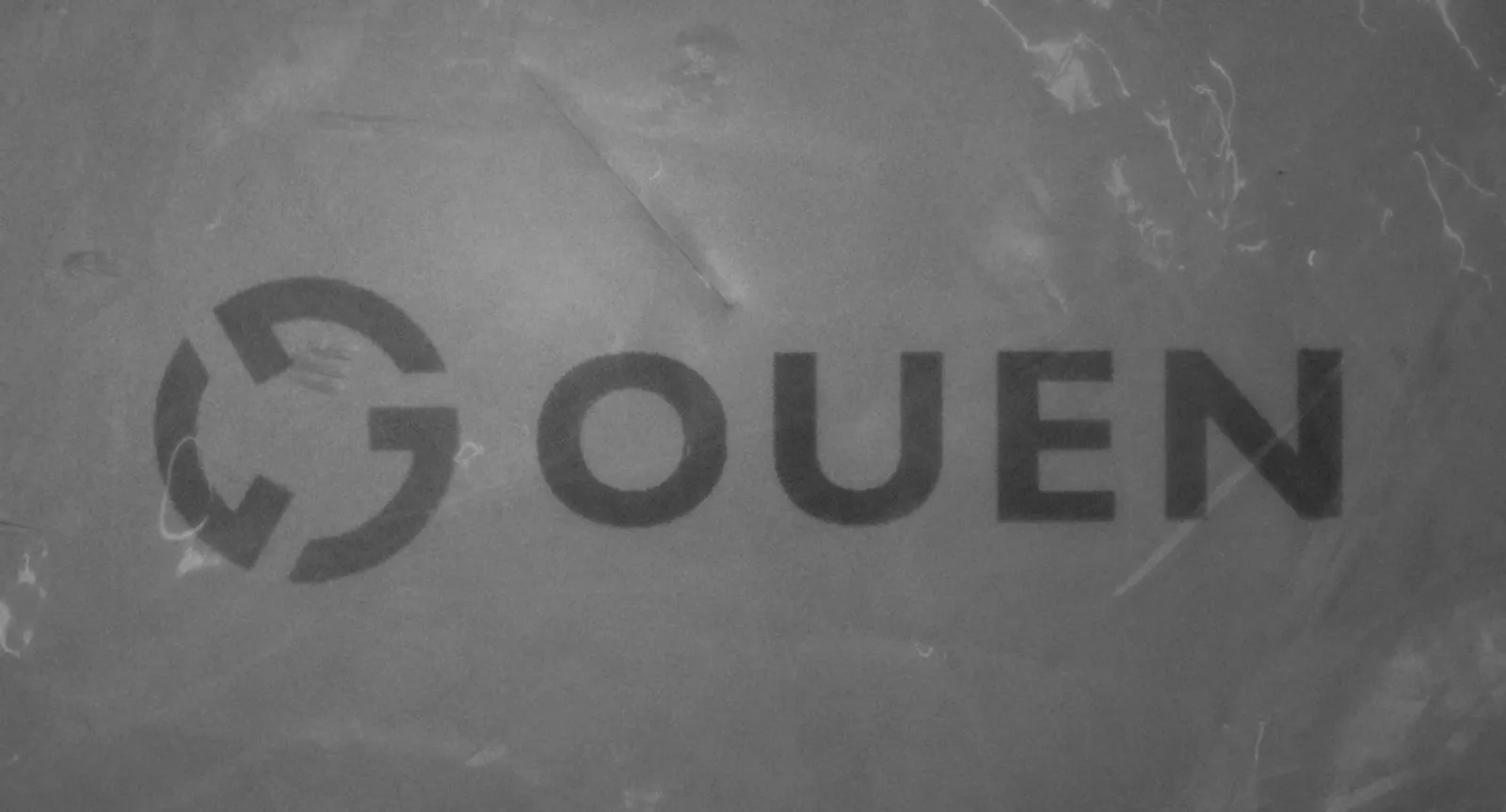
A film has been laid over the plate to produce reflections. In the original you cannot tell where the scratch is among the reflections off the creases. Put it through photometric stereo and the reflections fall away — they are a phenomenon of the film surface and have nothing to do with the orientation of the plate — leaving the scratch. With the usual method, though, the colour falls away here too.
Colour photometric stereo — combining without losing the colour
Our colour photometric stereo combines while keeping the colour information. That is the rightmost image in each comparison above: the glare gone, the scratch clear, the orange of the logo and the navy of the text as they were.
It matters in two situations.
One is when you want both shape and colour from a single capture. Rather than capture twice under different conditions for the scratch and the discolouration, one image judges both. One capture stage fewer, which tells on the takt.
The other is when the image goes to an AI. A pixel in a colour image carries three times the information of one in a black-and-white image. AI finds features in the arrangement of pixels, so the more information there is to use, the easier it is to tell things apart. With the colour still there, the clue that distinguishes a greyish scratch from print that was grey to begin with is still there.
Seven outputs to choose between
Inspection Designer offers seven kinds of combined image. Which you choose depends on what you want to see.
| Output | What it shows |
|---|---|
| Curvature | How the surface curves. Relief such as scratches and dents, unobstructed by differences of colour or pattern |
| Albedo | How reflective the surface is. The shading from the lighting direction disappears, so colour unevenness — dirt, discolouration — shows |
| Height | The height of the surface. Changes of shape over a wide area, such as waviness or warp |
| Specular | How much the brightness changes with the lighting direction. Shiny areas and differences in the finish |
| Glare suppression | The blown-out highlights suppressed. On a glossy surface, pattern that was hidden under reflections |
| Average image | The captured images averaged: close to how it normally looks |
| Curvature with the average image | The normal appearance with the curvature laid over it. For seeing pattern and relief at once |
Curvature has the widest use. Unaffected by colour, unevenness or whether something is printed, it shows only where the surface curves — so scratches and dents that were buried in a pattern come out plainly.
Albedo is the opposite of curvature. It removes the shading from the lighting direction, cancelling the effect of shape and keeping only the colour information. It suits dirt or discolouration on a surface that has relief. You can also output curvature and albedo both, and judge shape defects and colour defects separately.
Glare suppression suppresses the blown-out highlight that always appears somewhere when a glossy surface is captured. It helps where text printed on metal or film cannot be read for the reflection.
Height gives changes of shape over a wide area that no single lighting image shows: warp in a plate, waviness in a sheet, a step after assembly.
The average image and curvature with the average image are for when you want to keep what a person would see alongside the shape.
Note that only three can be output in colour: the average image, glare suppression, and curvature with the average image. The other four are values expressing the shape of the surface or the strength of reflection, so a pixel holds a single value and they are always black and white. Whether you want colour kept or shape shown changes which output to choose.
The combined image can go straight into an AI inspection
What photometric stereo produces is not only for a person to look at and judge.
In Inspection Designer, photometric stereo is one of the input modules. Which means the combined image flows straight into whatever comes next.
- Put the curvature image into good-product learning, so it learns how a good surface curves
- Put the albedo image through segmentation, to measure the area of discolouration
- Hand the glare-suppressed image to AI OCR, to read text on a glossy surface
Information made visible by arranging the lighting goes straight in as the AI’s input. The more you can get out of the capture, the easier the problem the AI has to solve. Not treating image processing and AI as separate things, but designing in one line from the capture onward, is the advantage of this arrangement.
Which output works is not knowable until you capture
Seven outputs have been described, but which one works depends on the subject. Even for a single scratch the answer differs: curvature for a shallow dent, albedo if it comes with discolouration, glare suppression if it is on a glossy surface. A comparison table in a catalogue will not decide it.
While you are still evaluating, you can load a sequence of images you already have and check which output shows the defect you are after. Settle that first and the design of the lighting jig comes into view: how many directions of light, at what angle, how wide a field. Once the capture specification is decided, a quotation for the equipment becomes realistic.
If you have a subject that could not be caught because it was buried in a pattern, or could not be read for the glare, you can start from the images you have already collected.